Meet Hero
Meet our communication and reporting system, Hero. An online sharing platform with a complementary parent app.
Hero allows schools to customise an online environment that enables teachers, students, and parents to view and share content anytime, anywhere on any device. The software is secure, easy to use and brings together all school-related information in one place. We will be gradually rolling out the features below
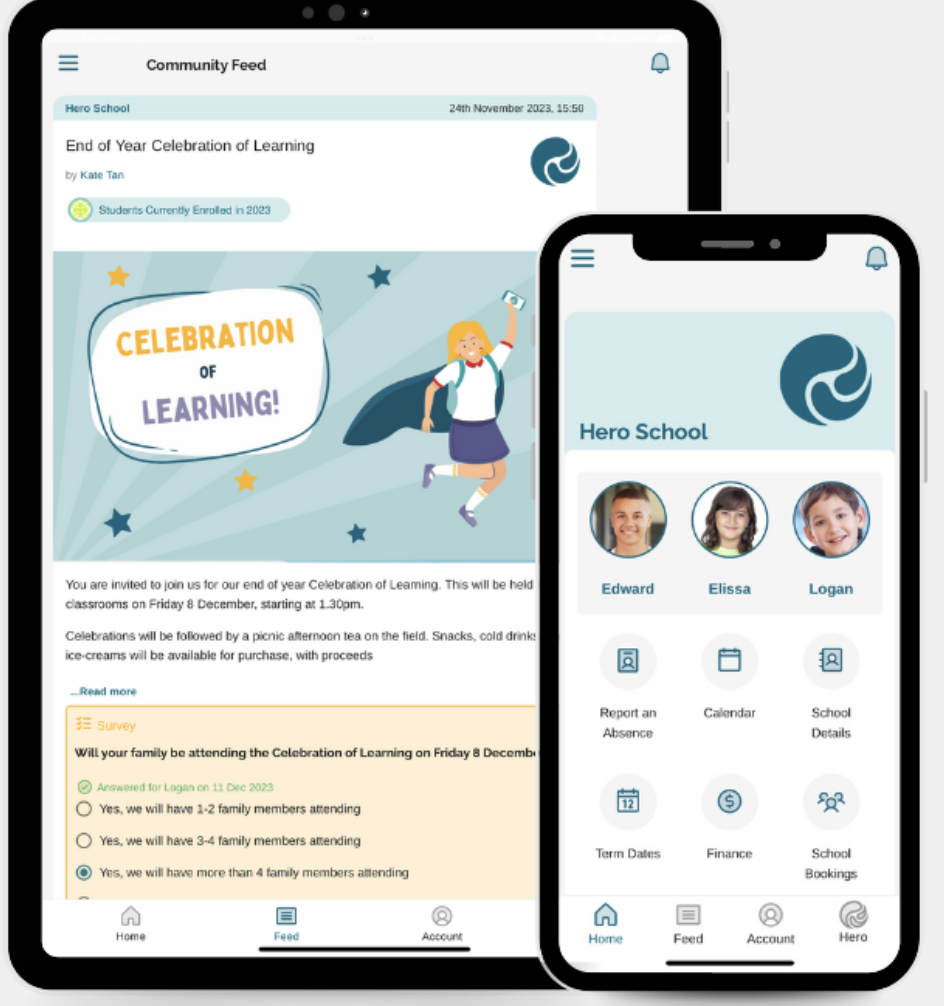
With Hero, you can:

Learning posts combined with curriculum information and goal-setting will form an online report designed to build year-on-year, so that over time, you will have access to written posts, images, videos, work samples, and helpful resources all in one place.
Click to download the HERO app

CONTACT THE SCHOOL IF YOU HAVE ANY TECHNICAL ISSUES WITH HERO
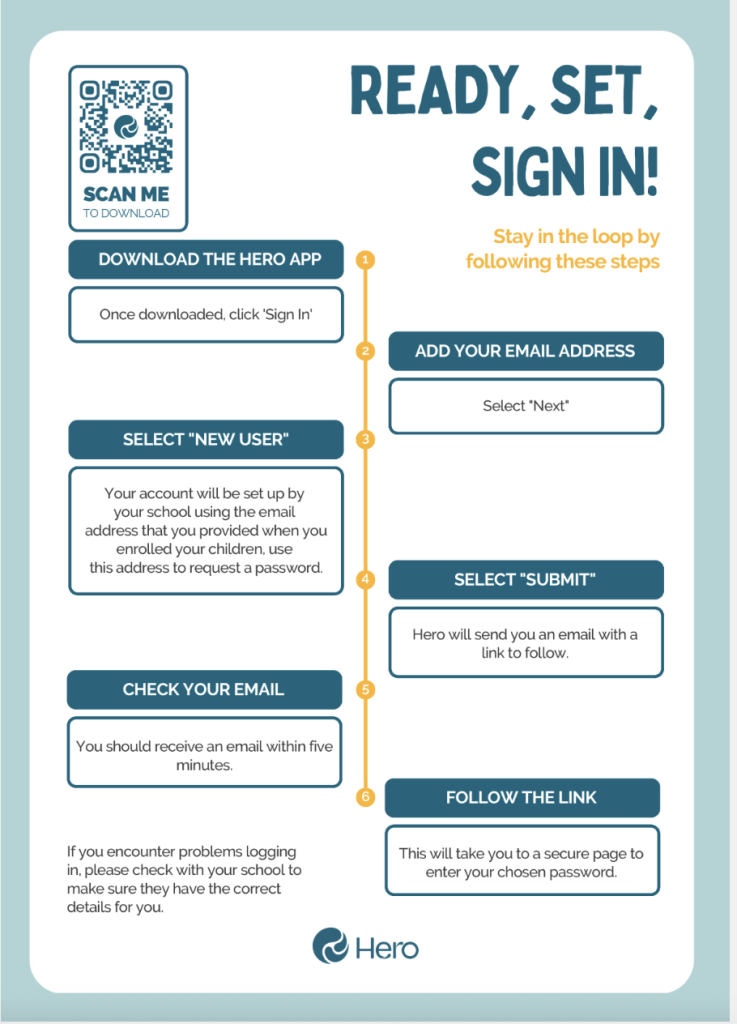
Ready, Set, Sign In!
1. Go to the Hero app
Select the relevant link above to download the Hero App, or click to log in via a browser.
2. Add your email address
Then select “Next.” 
3. Select “New User”
Your school will set up your account using the email address you provided when you enrolled your children. Use this address to request a password.
4. Select “Submit”
Hero will send you an email with a link to follow.
5. Check your email
You should receive an email within five minutes
6. Follow the link
This will take you to a secure page to enter your chosen password.
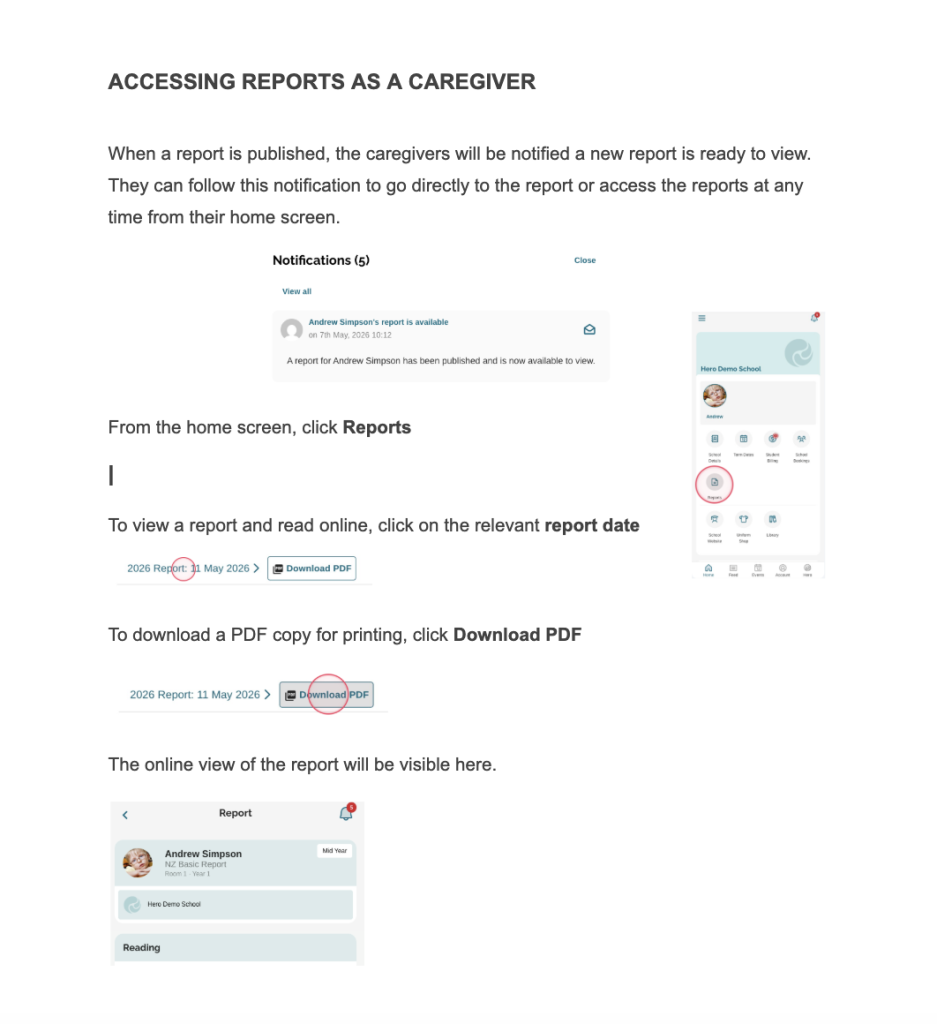
Your child’s Mid and End-of-Year report will be published on HERO.
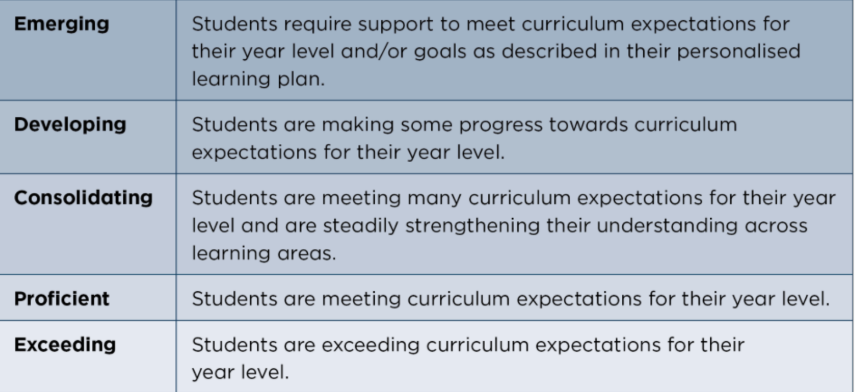
Across New Zealand, schools use common progress descriptors to show how children are achieving in relation to the expectations for their year level. The information below is provided by the Ministry of Education and explains what each descriptor means and what it will look like in your child’s learning. A more detailed version is at the top of your child’s report.

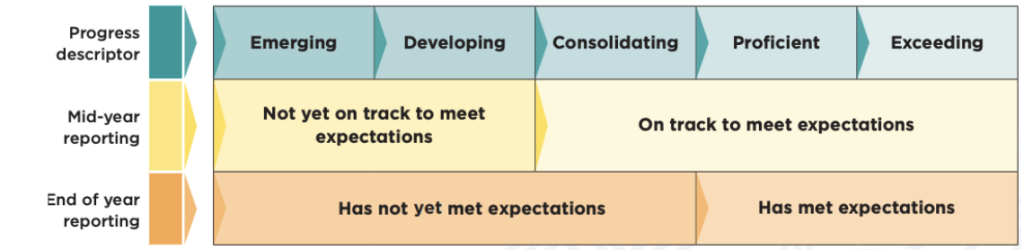
Below is the Ministry of Education’s guidance on how the progress descriptors work between the mid-year and end-year reports.